In today’s fast-evolving digital world, Artificial Intelligence is transforming how businesses and individuals work. One of the most powerful tools introduced by Google is Google AI Studio. If you’ve been wondering what is Google AI Studio, how it works, and why it’s gaining so much attention, this comprehensive guide will walk you through everything you need to know in a simple and engaging way.
Whether you are a beginner exploring AI or a professional looking to integrate AI into your workflow, this blog will help you understand Google AI Studio features, Google AI Studio uses, and provide a practical Google AI Studio tutorial to get started.
Introduction to Google AI Studio
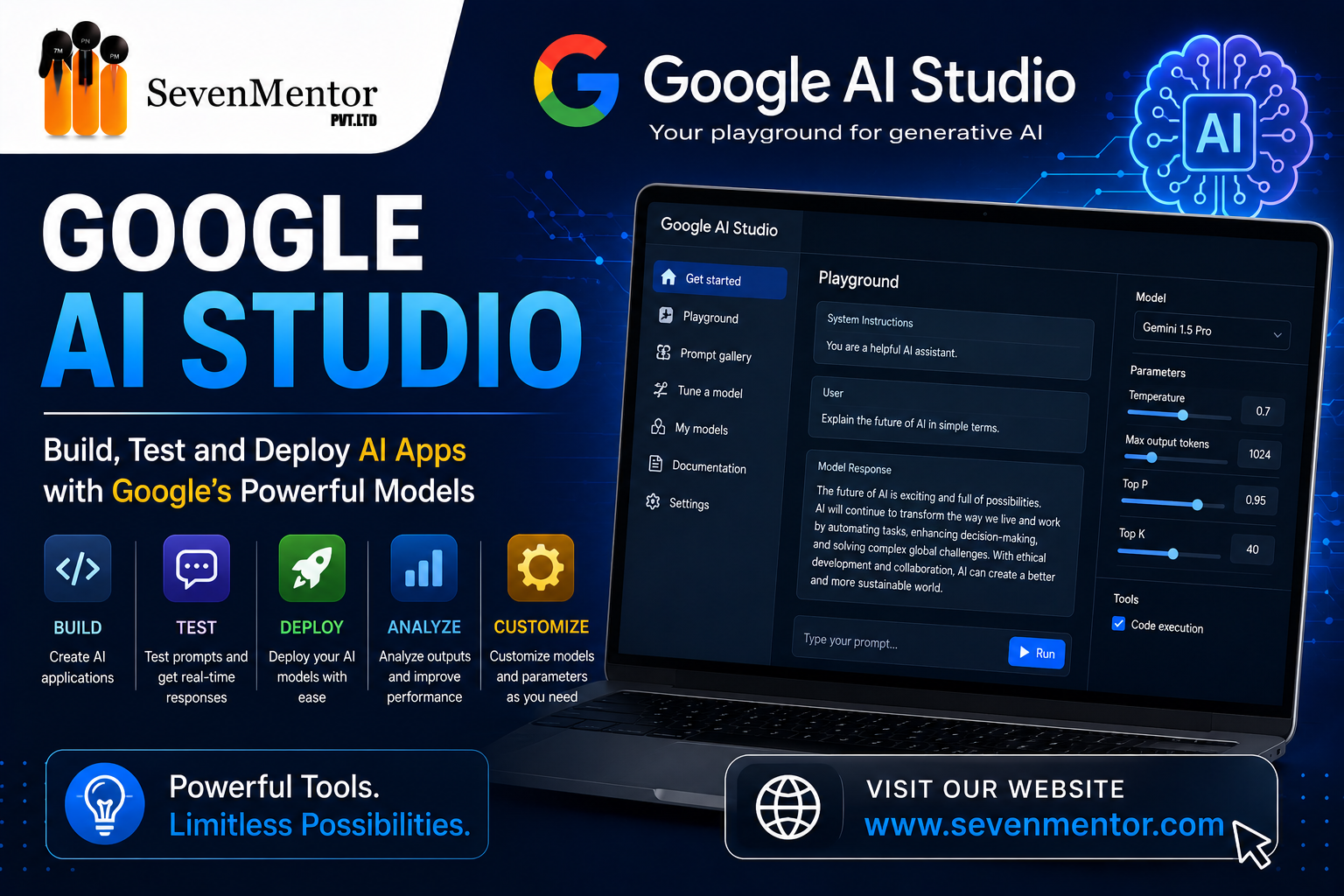
Artificial Intelligence is no longer limited to tech experts—it’s becoming accessible to everyone. Google AI Studio is a platform designed to simplify the process of building, testing, and deploying AI models. It provides an easy-to-use interface where users can experiment with AI capabilities without needing deep technical knowledge.
If you’re asking what is Google AI Studio, think of it as a creative playground where you can interact with AI models, generate content, build applications, and automate tasks—all in one place. Google has designed this tool to make AI more approachable, enabling developers, marketers, students, and businesses to leverage its full potential.
The beauty of Google AI Studio lies in its simplicity. You don’t need to be a data scientist to start using it. With minimal setup and intuitive controls, users can quickly begin experimenting with AI-driven solutions.
Why Google AI Studio is Gaining Popularity
The rapid adoption of Google AI Studio is not surprising. As businesses look for smarter ways to automate processes and improve efficiency, tools like this become essential.
One of the main reasons behind its popularity is its integration with Google’s powerful AI models. These models are trained on vast datasets, ensuring high-quality outputs for various tasks like text generation, summarization, coding assistance, and more.
Another reason is accessibility. Unlike traditional AI tools that require coding knowledge, Google AI Studio allows users to work with AI through a simple interface. This democratization of AI technology makes it appealing to a wider audience.
Additionally, its versatility plays a huge role. From content creation to app development, the Google AI Studio uses are endless. This flexibility makes it a valuable tool across industries.
Key Google AI Studio Features
When exploring Google AI Studio features, it’s important to understand what sets it apart from other AI tools. The platform offers a wide range of functionalities designed to enhance productivity and creativity.
One of the standout features is prompt-based interaction. Users can simply type instructions, and the AI generates responses accordingly. This makes it incredibly easy to create content, generate ideas, or solve problems.
Another important feature is model customization. Users can fine-tune outputs based on their specific needs, ensuring that the AI delivers relevant and accurate results. This is particularly useful for businesses that require personalized solutions.
Collaboration is also a key aspect. Teams can work together on AI projects, share prompts, and refine outputs collectively. This makes Google AI Studio ideal for organizations looking to integrate AI into their workflows.
Moreover, the platform supports multiple use cases, including text generation, code assistance, and data analysis. These Google AI Studio features make it a comprehensive solution for modern AI needs.
Google AI Studio Tutorial: How to Get Started
If you’re new to the platform, this simple Google AI Studio tutorial will help you begin your journey.
First, you need to access the platform through your Google account. Once logged in, you’ll be greeted with a user-friendly dashboard where you can start creating projects.
The next step is to enter a prompt. This could be anything from writing a blog post to generating code. The AI processes your input and provides results within seconds.
You can then refine the output by adjusting your prompt or adding more details. This iterative process helps you achieve the desired results.
As you continue using the platform, you’ll discover advanced options like saving prompts, sharing projects, and integrating AI into applications. This hands-on approach makes the Google AI Studio tutorial both practical and easy to follow.
Top Google AI Studio Uses in Real Life
Understanding Google AI Studio uses can help you unlock its full potential. The platform is not limited to one industry—it has applications across various fields.
In content creation, it helps writers generate blog posts, social media content, and marketing copy quickly. This saves time and boosts productivity.
For developers, it acts as a coding assistant, helping write and debug code efficiently. This makes development faster and more streamlined.
Businesses use it for customer support automation, data analysis, and decision-making. By leveraging AI, they can improve efficiency and reduce costs.
Students and educators also benefit from it by using AI for research, learning, and project development. These diverse Google AI Studio uses highlight its versatility and importance in today’s digital landscape.
Benefits of Using Google AI Studio
There are numerous advantages to using Google AI Studio, making it a valuable tool for individuals and businesses alike.
One major benefit is time efficiency. Tasks that would normally take hours can be completed in minutes with AI assistance.
Another advantage is improved accuracy. Google’s AI models are highly advanced, ensuring reliable and high-quality outputs.
Cost-effectiveness is also a key factor. By automating tasks, businesses can reduce operational costs and focus on strategic activities.
Additionally, the platform encourages innovation. Users can experiment with new ideas and develop creative solutions using AI.
These benefits make Google AI Studio a powerful tool for anyone looking to stay ahead in the digital age.
Google AI Studio vs Other AI Tools
When comparing Google AI Studio with other AI platforms, several differences stand out.
Firstly, its integration with Google’s ecosystem provides a seamless experience. Users can easily connect it with other Google services, enhancing productivity.
Secondly, its user-friendly interface makes it accessible to beginners. Unlike many AI tools that require technical expertise, this platform is designed for ease of use.
Thirdly, its versatility allows it to handle a wide range of tasks, from content creation to app development. This makes it a more comprehensive solution compared to specialized tools.
Overall, Google AI Studio offers a balanced combination of power and simplicity, making it a preferred choice for many users.
Integration with Other IT Courses
Web development skills can be enhanced by combining them with other in-demand technologies. Many training institutes, including SevenMentor, offer integrated learning paths with courses such as:
- Data Science – For data-driven web applications
- Data Analytics – To analyze user behavior and performance
- Python – Popular for backend development
- Cloud Computing – For deploying scalable applications
- Cyber Security – To secure web applications
- SAP – For enterprise-level solutions
- Generative AI & AI Course – To build intelligent applications
- ChatGPT Course – For AI-powered chatbot integration
- DevOps – For continuous integration and deployment
- Power BI – For data visualization dashboards
- Salesforce – For CRM-based web solutions
- Java – Widely used for enterprise web applications
Learning these technologies alongside web development can significantly boost your career prospects.
Future of Google AI Studio
The future of Google AI Studio looks incredibly promising. As AI technology continues to evolve, the platform is expected to introduce more advanced features and capabilities.
We can anticipate better customization options, improved accuracy, and enhanced integration with other tools. This will make it even more powerful and user-friendly.
Moreover, as more businesses adopt AI, the demand for platforms like Google AI Studio will continue to grow. This will drive innovation and lead to the development of new use cases.
In the coming years, Google AI Studio is likely to become an essential tool for anyone working with AI.
Conclusion
To sum it up, Google AI Studio is a powerful and versatile platform that simplifies the use of artificial intelligence. Whether you’re a beginner or a professional, it offers a wide range of features and applications to meet your needs.
From understanding what is Google AI Studio to exploring its features, uses, and benefits, this guide provides a complete overview of the platform. With its user-friendly interface and advanced capabilities, it’s no surprise that it’s becoming a popular choice for AI enthusiasts.
If you’re looking to enhance your skills and stay ahead in the digital world, now is the perfect time to start exploring Google AI Studio.
FAQs on Google AI Studio
1. What is Google AI Studio?
Google AI Studio is a platform by Google that allows users to build, test, and deploy AI models easily using a simple interface.
2. Is Google AI Studio free to use?
Google may offer free access with certain limitations, but advanced features could require paid plans.
3. What are the main Google AI Studio uses?
The main Google AI Studio uses include content creation, coding assistance, data analysis, and automation.
4. Do I need coding skills to use Google AI Studio?
No, the platform is designed to be user-friendly, making it accessible even for beginners without coding knowledge.
5. How can I learn Google AI Studio?
You can follow a Google AI Studio tutorial, explore its features, and practice regularly to gain hands-on experience.
Related Links:
Do visit our channel to know more: SevenMentor
SevenMentor
Expert trainer and consultant at SevenMentor with years of industry experience. Passionate about sharing knowledge and empowering the next generation of tech leaders.